
Choosing Website Care
WordPress Care Plans: What Your Business Should Get
Use our seven-part checklist to compare WordPress care plans, clarify included edits and recovery support, and prepare a useful brief for your provider.

The quick answer: WordPress care plans should give you a clear process for maintaining the site, recovering from problems and requesting improvements. Look for safe updates, usable backups, security checks, performance attention, ongoing edits, clear ownership and useful reporting—not just a list of software tools.
Your website should keep up when your services, team or promotions change. If you have to save every small update for a future project, technical maintenance alone is not solving the whole problem.
I’m Roberto DaCosta, owner of OhTurbo! I built our care plan around unlimited monthly edits without hourly caps because business owners need a simple way to keep improving their websites. In this guide, I explain what I would ask a provider to demonstrate before trusting them with ongoing care. My perspective comes from running OhTurbo!, so I will also explain where our plan fits.
Start with the work your business needs
A care plan is ongoing support for an existing website. The name does not tell you exactly what is included. One agreement may cover software upkeep, another may include content changes, and another may bundle hosting. Ask about the work and responsibility behind each feature.
Make a short list of real requests: change a service description, replace a team photo, update a promotion, check an enquiry form and keep WordPress current. Those requests give you a more useful conversation than “Do you offer maintenance?”
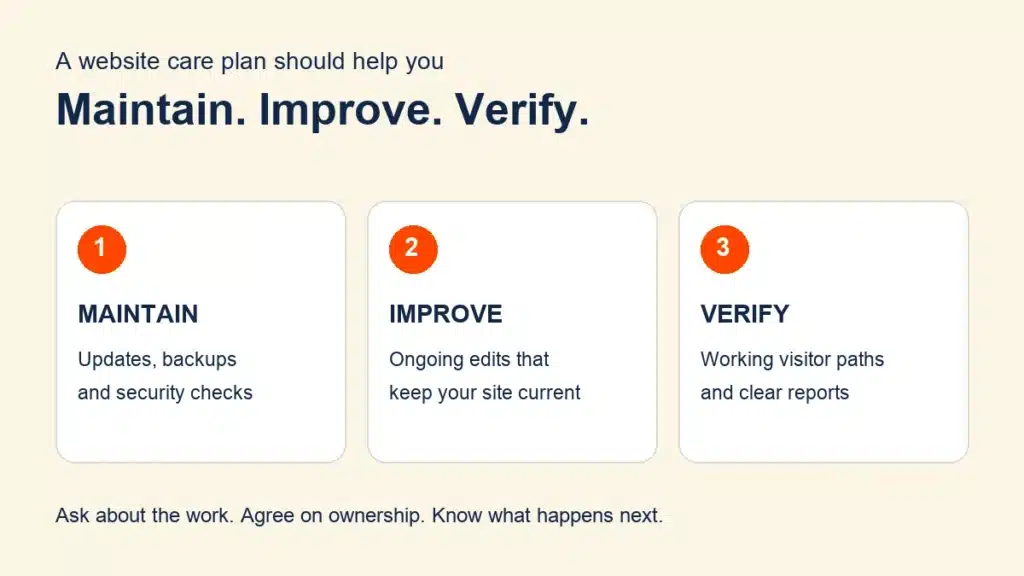
For a typical business website, I would evaluate three outcomes: maintain the technology, improve the content and experience, and verify that important things still work. If you are comparing fees, our website maintenance cost guide explains how to compare the included work. This article focuses on what to ask for.
Seven things I would look for in a WordPress care plan
1. Updates with a recovery plan and checks afterward
WordPress core, plugins and themes need ongoing attention. The official WordPress maintenance guide describes regular upkeep as part of managing a site.
I would ask who reviews updates, what backup is available before a change and what happens if an update causes a problem. For complex changes, ask how the provider uses a separate test environment before changing the public site.
“Updated successfully” is only part of the story. Your business also needs a working mobile menu, readable service pages and functioning enquiry paths. Agree on the important checks rather than assuming the update counter proves everything works.
2. Backups you can actually recover from
The WordPress backup documentation explains that a typical site needs both its files and database for a full recovery. Ask about both, where copies are kept and which restore points are available.
The right schedule depends on how the site changes. A site receiving orders or registrations needs a different recovery conversation from one with occasional text updates. Ask what information could be lost between the most recent backup and a restore.
My question would be: “Who restores the site, and how do you check that recovery worked?” Request an explanation of the restore process and whether recovery has been tested safely. A backup badge alone does not answer that question.
3. Security checks with a clear response
Security work should include a response process, not just an alert. The WordPress hardening guide describes security as reducing risk through multiple practices. No provider can promise that a website will never be attacked.
Ask what happens when a scan finds something suspicious, who investigates and which cleanup is included. Also clarify how pre-existing infections are handled before enrollment. At OhTurbo!, eligible cleanup for a protected, qualifying site differs from repairing a seriously compromised site before ongoing care begins.
Keep the discussion specific: ask about your site and access arrangements, rather than treating a security-plugin name as a complete answer.
4. Ongoing edits that keep your website current
This is where a care plan can become useful every week. Your services change, a staff member joins, a promotion ends or a button needs a better destination. Those changes should have a clear request process.
Ask which edits qualify and whether they consume a limited allowance of hours. At OhTurbo!, eligible monthly edits are unlimited and are not capped by support hours. You can keep requesting improvements without buying another block of time for included work.
For example, supplied text and photos for an existing page give the team a concrete request. A new custom booking system needs a discussion of requirements. Ask us how a larger request or additional pages fit before work begins; we will explain how those requests fit the plan.
5. Performance attention focused on visitors
I would ask how the team checks loading and usability on the pages people actually use. A fast homepage is helpful, but it does not tell you whether a long service page or mobile enquiry form is easy to use.
Useful reports describe the page tested, what changed and what remains unresolved. That makes an image optimization or script adjustment understandable. Avoid treating a promised score as a substitute for a working visitor experience.
OhTurbo! looks for practical performance improvements. We do not promise a universal speed score or search ranking because hosting, software and third-party systems affect the result.
6. Clear ownership of accounts and renewals
Know who controls your domain, hosting account, WordPress access and paid software licenses. A provider may need access to perform work, but you should know how to recover your accounts or hand the site to a different team.
Hosting is not included in OhTurbo!’s care fee; we offer it separately if needed. Other providers may bundle it. Ask for the actual arrangement, who pays renewals and what happens to a license when service ends.
A simple responsibility list prevents confusion: the owner supplies approved content and business decisions; the care team handles agreed website work; the host handles its contracted hosting responsibilities. Agree on who coordinates when a problem crosses those boundaries.
7. Reporting and a support process you can use
A useful report tells you what was done, what was checked and what still needs attention. It should explain an unresolved issue instead of hiding it behind a long list of update counts.
Ask where requests go, what information the team needs and how urgent issues are handled. Distinguish the time to acknowledge a request from the time to finish it. OhTurbo! edits are usually completed in less than 24 hours, depending on the request and having the information and access needed.
I recommend agreeing on how you will confirm completion. “The service text is updated and the mobile page was checked” gives you something to review. “Ticket closed” gives you much less.
Use this expandable provider interview checklist
Open each topic and take the question to a provider conversation. These are questions to resolve, not a score or a diagnosis of your website. You do not need to submit any personal information.
Updates: who checks the site after changes?
Ask: Which pages and functions do you check after updates, and how do you recover from a failed change?
Request: An example of an update report describing checks, problems and next steps. It can be anonymized.
Backups: what would recovery look like?
Ask: Are files and the database covered, which restore points are kept, and who performs a restore?
Request: A written recovery process and an explanation of safe restore testing and possible data loss between backups.
Security: what happens after an alert?
Ask: Who investigates findings, which cleanup is included, and what must be repaired before enrollment?
Request: Clear incident-handling steps and the eligibility terms that apply to your website.
Edits: can I keep requesting improvements?
Ask: Do eligible text, photo and layout changes use an hourly allowance? How do I send a request?
Request: Written examples of included edits and how larger requests are discussed before work starts.
Performance: what will you measure and explain?
Ask: Which public pages and mobile experiences are checked, and how will I see what improved?
Request: A dated example with the tested page, action taken and remaining limitations.
Ownership: who controls access and renewals?
Ask: Who owns the domain, hosting and licenses, and how is access handed back if service ends?
Request: An account and renewal responsibility list. Do not send passwords in an ordinary email.
Support: how will I know work is finished?
Ask: What information do you need, what timing should I expect, and how do you report completed and pending work?
Request: A sample completion update and monthly report.
A brief you can copy before your first conversation
Copy the following into your notes and replace the bracketed prompts. Keep it focused on business needs; account access can be arranged securely after you choose a provider.
My website helps customers [request quotes / book appointments / buy products / learn about our services].
The three changes I want first are [change one], [change two] and [change three].
The functions that must keep working are [forms, booking links, checkout or other essentials].
Please explain who handles updates and post-change checks, how backups can be restored, what security response includes, which ongoing edits are covered, and who controls accounts and renewals.
Please confirm request handling, expected turnaround, the monthly commitment and how any separate work is approved before it starts.
A specific brief makes the answers easier to compare. For example, “Replace the supplied service text and team photo, then check the mobile page” is a usable request. “Make the website better” leaves too much for someone else to guess.
Why I built OhTurbo! around ongoing improvements
Our WordPress website care plan provides remote support for businesses across the United States for $249.95 per month. It combines ongoing care with unlimited eligible edits every month, without hourly caps.
Included work and bonuses do not create surprise add-on fees. Our approach avoids scope creep by explaining how a request fits before separately approved work begins. You can pay month-to-month with no long-term contract. If you pay for the full year, you receive a brand-new website design and development job completely free.
That combination is why I recommend OhTurbo! to owners who want their site to keep improving as the business changes. You have a straightforward place to send eligible requests, usual fast delivery and predictable billing for included work. For eligibility and specific requests, check our FAQ or bring the brief above to your review.
What to check after the first month
Compare what actually happened with what you agreed. Were your initial edits completed? Were important functions checked? Can you see the maintenance work and any unresolved items? Do you know which requests need information from you?
Keep a short list of improvements you want next. A care plan should make those requests easier to handle, rather than leaving the same outdated content waiting month after month.
Ready to put the checklist to work? Request your free OhTurbo! website review and bring three changes you want to make. We will review your site, explain how the requests fit and help you choose a practical next step.
Roberto DaCosta is the owner of OhTurbo!, which provides remote website care for businesses across the United States. He writes these guides to help business owners compare support and make practical decisions about keeping their websites current.
Read Roberto’s author profile ↗KEEP YOUR WEBSITE MOVING
More helpful guides

Website Maintenance Costs: Compare What You Actually Get
Compare monthly website care prices, understand what is included, and build a realistic budget for keeping your WordPress website working and current.
Read the guide : Website Maintenance Costs: Compare What You Actually GetONE LESS THING TO WORRY ABOUT
Let’s give your website a little care.
Get a free review of your WordPress website and a clear next step.